
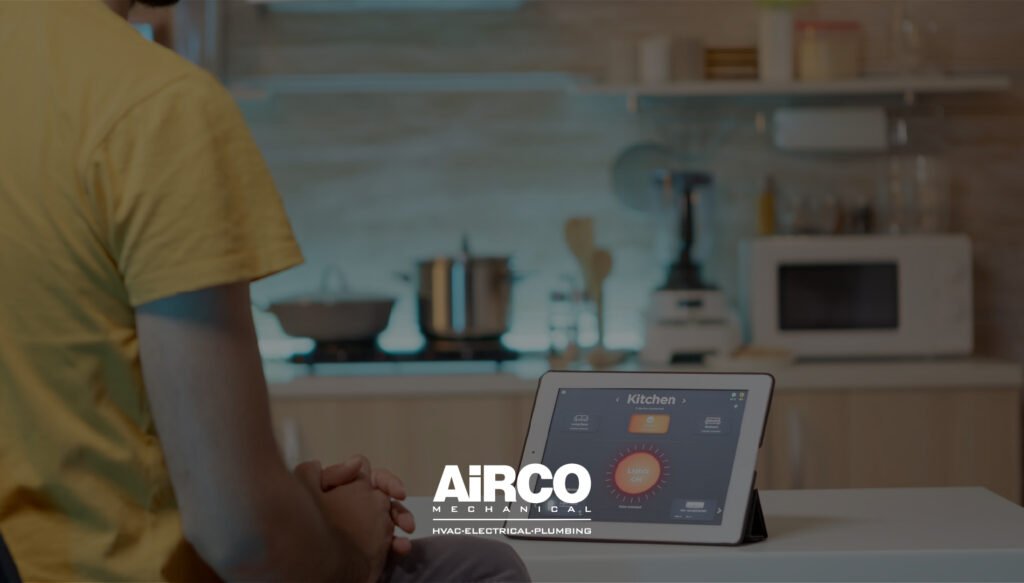
A smart home setup and installation guide helps homeowners plan connected devices, smart switches, lighting controls, thermostats, security cameras, doorbells, sensors, outlets, automation hubs, and Wi-Fi systems in a safe and reliable way. A proper smart home should improve comfort, convenience, safety, energy control, and daily routines without creating wiring problems, compatibility issues, weak connections, or overloaded circuits. For safer installation, Airco Mechanical provides professional smart home setup and installation support for homeowners who want modern technology installed correctly.
Smart home upgrades should be planned as part of the whole home electrical system, not treated as random plug-in gadgets. A connected home may include smart lighting, smart thermostats, security systems, smart outlets, EV charger integrations, outdoor controls, voice assistants, and energy monitoring. If your home needs electrical inspection, wiring support, panel review, device installation, or safer setup planning, Airco Mechanical can help create a reliable system that works with your home’s real electrical needs.
ENERGY STAR explains that smart home energy management systems can help homeowners simplify, reduce, and manage energy consumption, and that a certified system may include a smart thermostat, lighting, and plug-load control, with optional additions such as appliances, EV chargers, and smart security. Review the ENERGY STAR guide to Smart Home Energy Management Systems.
What Smart Home Setup Really Means
Smart home setup means connecting household devices so they can be controlled, scheduled, monitored, or automated through apps, sensors, switches, hubs, voice assistants, or programmed routines.
It can include simple upgrades like smart bulbs or more advanced installations like hardwired smart switches, cameras, thermostats, lighting zones, smart panels, and whole-home automation.
Common Smart Home Devices
| Smart Home Device | Main Function | Installation Concern |
|---|---|---|
| Smart thermostat | Controls heating and cooling schedules | HVAC compatibility and wiring |
| Smart switch | Controls wired lighting | Neutral wire and load compatibility |
| Smart dimmer | Adjusts lighting level | Bulb and fixture compatibility |
| Smart outlet | Controls plug-in devices | Circuit load and placement |
| Smart doorbell | Adds video and alerts | Transformer and wiring requirements |
| Security camera | Improves monitoring | Power source, Wi-Fi, and placement |
| Motion sensor | Triggers automation | Range, location, and network connection |
| Smart lock | Controls door access | Door fit and battery maintenance |
| Smart hub | Connects multiple devices | Platform compatibility |
| Energy monitor | Tracks usage | Panel access and electrical setup |
A strong smart home setup is not just about buying devices. It is about making sure the devices communicate properly, receive stable power, and fit the homeowner’s lifestyle.
Smart Home Setup and Installation Guide: Main Planning Factors
This smart home setup and installation guide begins with the main entities that determine whether the system will work smoothly: power, network, device compatibility, controls, automation rules, and safety.
1. Electrical Readiness
Smart devices need stable electrical support. Some devices are plug-in, while others connect directly to wiring.
Electrical readiness includes:
- Correct wiring
- Proper grounding
- Compatible switches
- Enough circuit capacity
- Safe outlet condition
- Working GFCI protection where needed
- Correct transformer for video doorbells
- Outdoor-rated electrical protection
- Surge protection for connected electronics
A smart device may fail or behave unpredictably if the electrical foundation is not correct.
2. Wi-Fi and Network Strength
Smart homes depend heavily on network reliability. Weak Wi-Fi can cause delays, offline devices, missed camera alerts, and unreliable automation.
Signs Your Network May Need Improvement
- Devices frequently disconnect
- Cameras lag or stop recording
- Smart lights respond slowly
- Voice commands fail often
- App control works in some rooms but not others
- Outdoor devices lose connection
- Router is far from key devices
A modern smart home may need a stronger router, mesh Wi-Fi, better device placement, or a separate network for smart devices.
3. Device Compatibility
Not all smart devices work well together. Some rely on Wi-Fi, while others use Bluetooth, Zigbee, Z-Wave, Matter, or a manufacturer-specific app.
Compatibility Questions
| Question | Why It Matters |
|---|---|
| Does the device work with your phone? | App support affects control |
| Does it support your voice assistant? | Important for voice routines |
| Does it need a hub? | Some devices cannot work alone |
| Does it support your wiring? | Smart switches may need neutral wires |
| Does it work with existing bulbs? | Prevents flickering and buzzing |
| Is it outdoor-rated? | Important for exterior devices |
| Can it connect with other automations? | Supports whole-home routines |
Compatibility planning prevents wasted purchases and poor performance.
Benefits of Smart Home Setup for Modern Homes
Smart home technology can improve daily life when installed correctly. The main benefits are convenience, safety, control, energy awareness, comfort, and automation.
Key Benefits
- Control lights from a phone
- Schedule thermostats automatically
- Monitor doors and cameras remotely
- Use motion sensors for safety lighting
- Reduce unnecessary energy use
- Create routines for mornings and evenings
- Improve home security awareness
- Control outdoor lighting automatically
- Track energy use from selected devices
- Make home systems easier to manage
A smart home should make daily routines easier, not more complicated.
Smart Lighting Setup
Smart lighting is one of the most popular smart home upgrades. It can include smart bulbs, smart switches, dimmers, motion sensors, timers, and app-controlled outdoor lights.
Smart Lighting Ideas
- Motion lights for hallways
- Scheduled porch lights
- Dimmable living room scenes
- Kitchen task lighting controls
- Bedroom night routines
- Outdoor security lighting
- Vacation lighting schedules
- Garage motion lighting
- Patio lighting zones
- Smart switch groups
Smart Bulbs vs Smart Switches
| Feature | Smart Bulbs | Smart Switches |
|---|---|---|
| Installation | Simple plug-and-play | May need wiring |
| Best for | Lamps and single fixtures | Room lighting circuits |
| Wall switch use | Can lose control if switched off | Works like a normal switch |
| Cost per room | Can rise with many bulbs | Often better for multiple fixtures |
| Dimming | Built into bulb | Requires compatible dimmer |
| Professional install | Usually not needed | Recommended for hardwired switches |
Smart switches are often better for permanent lighting control, while smart bulbs are easier for simple upgrades.
Smart Thermostat Setup
A smart thermostat can help manage heating and cooling more efficiently by using schedules, remote access, learning features, and occupancy-based control.
ENERGY STAR states that certified smart thermostats are independently certified based on actual field data to deliver energy savings, and its FAQ notes average savings of approximately 8% on heating and cooling bills or about $50 per year, depending on factors such as climate and usage.
Smart Thermostat Benefits
- Remote temperature control
- Heating and cooling schedules
- Energy usage reports
- Vacation mode
- Occupancy-based adjustments
- Maintenance reminders
- Better comfort control
- Reduced unnecessary runtime
Installation Considerations
- HVAC system compatibility
- C-wire requirement
- Heat pump compatibility
- Multi-stage system support
- App setup
- Wi-Fi connection
- Sensor placement
- User schedule setup
A smart thermostat should be installed carefully because incorrect wiring can affect HVAC performance.
Smart Security and Camera Setup
Smart security devices help homeowners monitor activity, receive alerts, and improve visibility around the home.
Common Security Devices
- Video doorbells
- Indoor cameras
- Outdoor cameras
- Motion sensors
- Door sensors
- Window sensors
- Smart locks
- Floodlight cameras
- Garage door monitors
Security Setup Factors
| Factor | Why It Matters |
|---|---|
| Camera angle | Prevents blind spots |
| Power source | Battery, plug-in, or hardwired |
| Wi-Fi strength | Supports live video and alerts |
| Lighting | Improves nighttime visibility |
| Privacy zones | Avoids recording unwanted areas |
| Weather rating | Required for outdoor devices |
| Storage plan | Determines how recordings are saved |
| Doorbell transformer | Must support video doorbell requirements |
A security system is only useful if it is powered reliably and connected properly.
Smart Outlets and Plug Load Control
Smart outlets and smart plugs allow homeowners to control lamps, small appliances, fans, chargers, and other plug-in devices.
Best Uses for Smart Outlets
- Lamps
- Holiday lights
- Coffee makers
- Fans
- Space-saving device control
- Entertainment systems
- Home office equipment
- Small appliances
- Schedules for plug-in lighting
Safety Limits
Smart outlets should not be used for devices that exceed their rated load. Avoid using them with high-demand equipment unless the device is specifically rated for that use.
Do not use smart plugs with:
- Large space heaters unless approved by the manufacturer
- High-load appliances beyond rating
- Damaged cords
- Wet outdoor areas unless outdoor-rated
- Critical medical devices without backup planning
Smart outlets are useful, but they must be used within safe electrical limits.
Smart Home Hubs and Platforms
Some smart homes rely on a central hub or platform to connect devices. Others use separate apps for each device.
Common Control Options
| Control Type | Best For | Possible Limitation |
|---|---|---|
| Phone apps | Simple device control | Too many apps can become confusing |
| Voice assistants | Hands-free control | Needs good setup and privacy settings |
| Smart hubs | Multi-device automation | Compatibility matters |
| Wall controls | Everyday use | Requires wiring |
| Sensors | Automatic routines | Placement affects performance |
| Smart panels | Energy and circuit monitoring | Requires professional installation |
The best setup depends on how many devices you want and how automated the home should be.
Step-by-Step Smart Home Installation Process
A good smart home project should follow a clear process. This avoids compatibility issues, weak connections, poor wiring, and confusing controls.
Step 1: Define Your Goals
Decide what you want the system to improve.
Examples:
- Better lighting control
- More security
- Energy management
- Safer outdoor visibility
- Easier thermostat control
- Smart routines for daily life
- Better control for older family members
- Remote access while traveling
Step 2: Review Electrical Conditions
Check whether outlets, switches, wiring, and panels are ready for smart devices.
This may include:
- Outlet condition
- Switch wiring
- Neutral wire availability
- Panel condition
- Circuit capacity
- Surge protection
- Outdoor GFCI protection
- Transformer rating for doorbells
Step 3: Check Wi-Fi Coverage
Test connection strength in rooms, garages, patios, and outdoor locations where smart devices will be installed.
Step 4: Choose Compatible Devices
Choose products that work with your preferred platform, app, voice assistant, and existing wiring.
Step 5: Install Devices Safely
Plug-in devices may be simple, but hardwired switches, dimmers, doorbells, cameras, and panel-connected devices should be installed professionally.
Step 6: Set Up Apps and Routines
Create clear names for rooms and devices. Build simple routines first, then expand.
Step 7: Test the System
Test each device, app control, voice control, schedules, alerts, motion detection, and automation rules.
This process is a core part of any smart home setup and installation guide because planning prevents frustration later.
Smart Home Setup by Room
Different rooms need different smart home features.
| Room or Area | Useful Smart Home Upgrades |
|---|---|
| Living room | Smart lighting, dimmers, voice control, entertainment control |
| Kitchen | Task lighting, smart outlets, leak sensors, appliance monitoring |
| Bedroom | Lighting routines, smart thermostat sensors, voice control |
| Bathroom | Motion night lights, humidity sensor fan controls |
| Hallways | Motion lights, safety lighting, smart switches |
| Garage | Camera, smart opener, motion lighting, EV charger planning |
| Entryway | Video doorbell, smart lock, porch light automation |
| Patio | Outdoor smart lighting, cameras, weather-rated controls |
| Home office | Surge protection, smart outlets, energy monitoring |
| Utility area | Leak sensors, panel monitoring, equipment alerts |
Smart home design should match how each area is used.
DIY Smart Home Setup vs Professional Installation
Some smart home upgrades are easy to install. Others need electrical experience.
| Smart Home Task | DIY-Friendly | Professional Recommended |
|---|---|---|
| Smart bulb setup | Yes | Not usually |
| Smart plug setup | Yes | Not usually |
| App configuration | Yes | Optional |
| Smart switch installation | Sometimes | Yes for wiring work |
| Smart dimmer installation | Sometimes | Yes for compatibility and wiring |
| Video doorbell wiring | Sometimes | Yes if transformer or wiring is unclear |
| Outdoor camera wiring | No for hardwired installs | Yes |
| Smart thermostat installation | Sometimes | Yes for complex HVAC systems |
| Smart panel installation | No | Yes |
| Whole-home automation planning | Optional | Recommended for larger setups |
If the installation requires opening electrical boxes, changing wiring, or working near a panel, professional installation is the safer choice.
Common Smart Home Problems and Fixes
Smart devices can fail because of wiring, Wi-Fi, compatibility, app settings, or electrical load issues.
| Problem | Possible Cause | Best Fix |
|---|---|---|
| Device keeps disconnecting | Weak Wi-Fi | Improve router or mesh coverage |
| Smart switch does not work | Missing neutral wire | Use compatible device or rewire safely |
| Lights flicker | Dimmer or bulb mismatch | Use compatible LED dimmer and bulbs |
| Doorbell has no power | Transformer issue | Check transformer rating |
| Camera alerts are delayed | Poor connection | Improve Wi-Fi and placement |
| Automation fails | App or hub issue | Rebuild routine and update firmware |
| Smart plug gets warm | Load too high | Stop using and inspect rating |
| Outdoor device fails | Weather exposure | Use outdoor-rated equipment |
| Voice assistant cannot find device | App linking issue | Reconnect platform account |
| Thermostat behaves incorrectly | Wiring or setup issue | Professional HVAC/electrical review |
Troubleshooting should start with simple app and network checks, but electrical symptoms should be handled carefully.
Smart Home Safety and Privacy Considerations
A smart home is connected to both your electrical system and your digital network. Safety and privacy should be part of the setup.
Electrical Safety
- Use properly rated devices
- Avoid overloading smart plugs
- Use outdoor-rated devices outdoors
- Install hardwired devices correctly
- Avoid damaged cords
- Add surge protection
- Keep electrical boxes properly covered
- Use GFCI protection where needed
Digital Security
- Use strong Wi-Fi passwords
- Update device firmware
- Use two-factor authentication when available
- Avoid unknown brands with poor security support
- Review camera privacy settings
- Create guest networks where appropriate
- Remove old devices from apps before selling or replacing them
A smart home should be convenient and secure.
Prevention: How to Keep a Smart Home Reliable
A smart home needs occasional maintenance. This is where the smart home setup and installation guide becomes a long-term reliability plan.
Smart Home Maintenance Checklist
- Update device firmware
- Replace sensor batteries
- Test cameras and alerts
- Check smart lock batteries
- Review thermostat schedules seasonally
- Test motion lighting
- Confirm outdoor devices remain weather protected
- Rename devices clearly
- Remove unused devices from apps
- Check Wi-Fi coverage after router changes
- Inspect smart plugs for heat
- Test automations after app updates
- Keep login information organized
- Review privacy settings
Maintenance keeps the system useful and prevents small problems from becoming daily frustration.
Smart Home Setup Checklist
Use this checklist before installing devices.
| Question | Yes / No |
|---|---|
| Do you know your main smart home goal? | |
| Have you selected a platform or app system? | |
| Is Wi-Fi strong in all target areas? | |
| Are outdoor devices weather-rated? | |
| Do smart switches match your wiring? | |
| Are dimmers compatible with LED bulbs? | |
| Is your doorbell transformer compatible? | |
| Are smart plugs rated for the devices connected? | |
| Do you have surge protection? | |
| Are cameras placed with privacy in mind? | |
| Are automations simple and easy to manage? | |
| Has a professional reviewed hardwired devices? |
This checklist helps homeowners plan a smarter and safer installation.
Best Smart Home Upgrades for Modern Homes
The best smart home upgrades are the ones that provide daily value.
High-Value Smart Home Upgrades
- Smart thermostat
- Smart lighting controls
- Video doorbell
- Outdoor security cameras
- Smart door lock
- Smart garage door controller
- Motion sensor lights
- Smart outlets
- Leak sensors
- Whole-home surge protection
- Energy monitoring
- Smart outdoor lighting
Start with the upgrades you will use every day, then expand gradually.
Cost Factors for Smart Home Installation
Smart home installation cost depends on device type, wiring needs, network strength, number of devices, and professional labor.
| Cost Factor | Why It Matters |
|---|---|
| Number of devices | More devices require more setup time |
| Hardwired vs plug-in | Hardwired devices need electrical work |
| Existing wiring | Older wiring may need correction |
| Wi-Fi coverage | Mesh systems may be needed |
| Outdoor installation | Weather protection adds complexity |
| Platform choice | Hubs and controllers may add cost |
| Smart thermostat wiring | HVAC compatibility affects setup |
| Security camera placement | Power and mounting affect labor |
| Surge protection | Helps protect connected devices |
| Troubleshooting needs | Existing issues may need repair first |
A planned system usually costs less long term than fixing mismatched devices later.
When to Call a Professional
Call a professional for smart home installation when the project includes wiring, electrical boxes, outdoor power, thermostats, cameras, panel-related devices, or troubleshooting.
Professional help is recommended for:
- Smart switches
- Smart dimmers
- Smart thermostats
- Video doorbell wiring
- Outdoor camera wiring
- Outdoor smart lighting
- Smart panels
- Surge protection
- Electrical troubleshooting
- Multi-room automation planning
- Garage or patio devices
- Older homes with uncertain wiring
Professional installation helps reduce safety risks and improves system reliability.
Conclusion
This smart home setup and installation guide shows that a modern connected home should be planned around safety, wiring, compatibility, Wi-Fi strength, device purpose, automation, privacy, and long-term maintenance. Smart lighting, thermostats, doorbells, cameras, outlets, switches, sensors, and energy controls can transform daily living when they are installed correctly and supported by a reliable electrical system.
If you are ready to upgrade your home with smart lighting, smart switches, smart thermostats, security devices, outdoor automation, or connected home controls, contact Airco Mechanical today. Airco Mechanical can inspect your electrical system, recommend the right setup, and provide safe smart home installation for modern living.
FAQs
1. What is included in smart home setup?
Smart home setup can include smart lights, switches, thermostats, cameras, doorbells, outlets, locks, sensors, hubs, and app-based automation.
2. Do smart switches need special wiring?
Many smart switches need a neutral wire and proper load compatibility. An electrician can confirm if your wiring supports them.
3. Can smart home devices save energy?
Yes. Smart thermostats, lighting schedules, sensors, and plug controls can reduce unnecessary energy use when configured correctly.
4. Is professional installation needed for smart home devices?
Plug-in devices may be DIY-friendly, but hardwired switches, thermostats, cameras, and outdoor devices should usually be professionally installed.
5. Why do smart home devices disconnect?
Common causes include weak Wi-Fi, app issues, outdated firmware, poor device placement, or compatibility problems.